Alaska 5111.0.4.0
Publisher Description
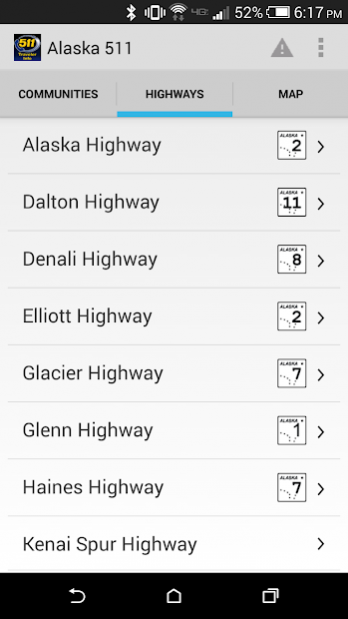
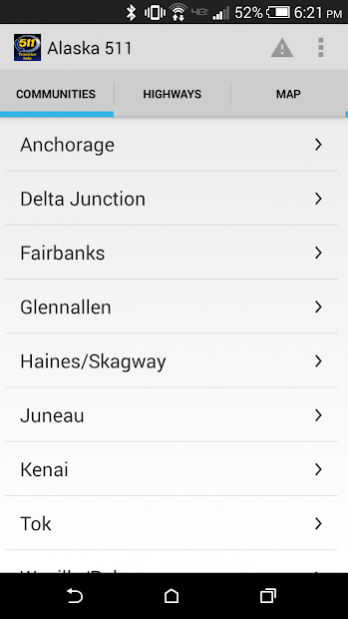
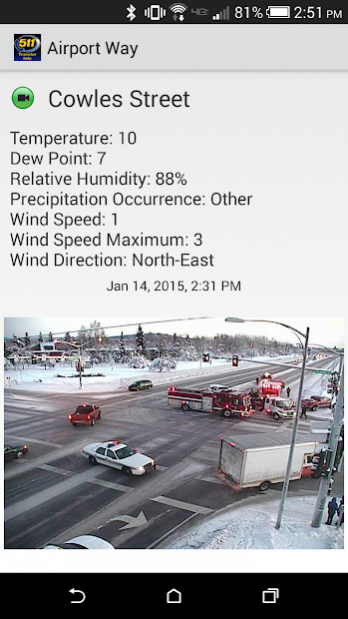
The Alaska 511 app provides travelers with state-wide traffic and road condition reporting, covering major highways in Anchorage, Delta Junction, Fairbanks, Glennallen, Haines/Skagway, Juneau, Kenai, Tok, Wasilla/Palmer, Valdez and more.
Providing a user-friendly map based interface, the simple navigation through the app’s features creates a seamless travel experience for users. Utilizing GPS location, the app presents traffic information from the user’s current location.
This feature-filled app includes:
• Real-time updates of traffic information based on the user’s GPS location
• Camera images of roadway conditions, incidents, construction, and other hazards
• A Feedback feature to submit AKDOT traffic incidents with easy to use voice recording
• Quick-select location options by map, highway, or a specific community
• A zoom-enabled map with clickable traffic icons
• Traffic reports of current GPS location
Know before you go! Check the Alaska 511 app before getting on the road. Have a passenger check updated traffic information while driving or pull over safely to avoid distracted driving.
Drive safely!
About Alaska 511
The company that develops Alaska 511 is Open Roads Consulting, Inc. The latest version released by its developer is 1.0.4.0.
To install Alaska 511 on your Android device, just click the green Continue To App button above to start the installation process. The app is listed on our website since 2019-04-29 and was downloaded 19 times. We have already checked if the download link is safe, however for your own protection we recommend that you scan the downloaded app with your antivirus. Your antivirus may detect the Alaska 511 as malware as malware if the download link to com.orci.ak511.mobile.android.production is broken.
How to install Alaska 511 on your Android device:
- Click on the Continue To App button on our website. This will redirect you to Google Play.
- Once the Alaska 511 is shown in the Google Play listing of your Android device, you can start its download and installation. Tap on the Install button located below the search bar and to the right of the app icon.
- A pop-up window with the permissions required by Alaska 511 will be shown. Click on Accept to continue the process.
- Alaska 511 will be downloaded onto your device, displaying a progress. Once the download completes, the installation will start and you'll get a notification after the installation is finished.
Program Details
System requirements
Download information
Pricing
Version History
version 1.0.4.0
posted on 2019-04-29
Fixed a series of bugs that were causing the app to crash or not behave as expected.
